You can't retrain ChatGPT itself, but you can make it answer from your own data by giving it your documents to look things up in. For your own work, uploading files to ChatGPT is enough. For customers, you need a chatbot trained on your website and docs that lives on your site and can hand off to your team.
- Training ChatGPT on your own data almost always means retrieval: the AI searches your documents and answers from them. Nobody is rewriting the model.
- Custom GPTs only work inside ChatGPT. OpenAI says it plans to retire them on December 11, 2026 and move creators to plugins, so don't build customer support on one now.
- If customers should get the answers, you need a website chatbot that answers from your content, captures leads and passes tricky chats to a person.
- Good answers come from clean source material: one up-to-date document per topic and exact Q&A pairs for your 20 most common questions.

You've probably had this thought: if ChatGPT knew our prices and returns policy, it could answer half our customer emails. This guide shows which option fits that goal, what each one can't do, and how to set up a version your customers can actually use.
Retraining vs retrieval: what it means to train ChatGPT on your own data
In everyday use, it means connecting ChatGPT to your content so it answers from your facts instead of its general knowledge. The model itself doesn't change.
The technical name is retrieval-augmented generation. Retrieval-augmented generation is a method where an AI first searches a set of documents for passages that match the question, then writes its reply using those passages. When a customer asks "Can I return a candle I've already lit?", the system finds the paragraph in your returns policy about used items and answers from it.
The other meaning is fine-tuning, where a developer trains a copy of a model on example conversations. It's good for style, but honestly a poor way to teach facts that change, like this month's shipping times. For business knowledge, retrieval wins almost every time.
Four ways to give ChatGPT your business knowledge
The right method depends on one question: who will be asking? If it's you and your team, the built-in ChatGPT features are fine. If it's customers on your website, you need something that lives on your website.
| Method | What it is | Best for | Can customers use it on your site? |
|---|---|---|---|
| Uploading files to a chat or project | You attach PDFs or docs and ask questions about them inside ChatGPT | Your own research, drafting replies, internal questions | No |
| Custom GPTs | A saved version of ChatGPT with your instructions and knowledge files | Internal helpers for a team that already uses ChatGPT | No, and OpenAI plans to retire them |
| API with retrieval or fine-tuning | A developer builds your own app on top of OpenAI's models | Product teams with engineering time | Yes, if you build and host the whole thing |
| AI support agent platform | A tool that trains a chatbot on your content and gives you a website widget | Businesses that want customers answered from their own content | Yes, with an install code |
Important
OpenAI's help center says it plans to retire custom GPTs on December 11, 2026 and help creators move their workflows to plugins, and personal ChatGPT plans can no longer create new GPTs. See OpenAI's article on creating a GPT for current dates before you build anything on them.
Can a custom GPT answer customers on your website?
No. A custom GPT (or the plugin that replaces it) runs inside ChatGPT, so a person needs a ChatGPT account and has to open it there. There's no install code that puts it on your contact page.
A customer-facing chatbot also has to handle what happens after the answer:
- Sit where customers already are. A shopper on your product page at 11 pm won't leave your site to open another app.
- Capture the lead. When someone asks about bulk pricing, you want their name and email saved with the conversation, not lost in a stranger's chat history.
- Hand off to a person. A damaged order or an angry customer needs your team, in the same chat, with the history attached.
- Show you what people ask. Your team needs the transcripts and the patterns so you can fix gaps in your content.
- Stay on topic. It should refuse to give legal advice or invent a discount, and say "I don't know" when your content doesn't cover something.
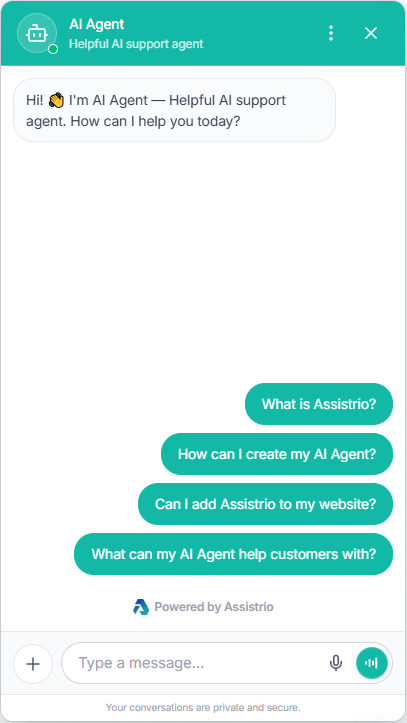
A chatbot trained on your website and documents does all of this on your own domain. That's the gap Assistrio was built for: the AI support agent answers from your Knowledge Base, asks for contact details with lead capture, and passes the chat to your team in the Helpdesk when a person is needed (the Helpdesk is part of the Pro plan).
How to build a chatbot trained on your website and documents
Whichever tool you use, the process is the same six steps.
- 1
List the questions you actually get
Open your inbox and chat history and write down the 20 questions that come up most. For a store that's usually shipping, returns, sizing and order status; for a clinic, prices, hours and booking.
- 2
Gather the content that answers them
Collect your FAQ page, returns and shipping policies, price lists and product sheets. If two documents disagree, the chatbot will too.
- 3
Add the content as sources
Upload files, add your website pages and write short Q&A pairs for the exact answers. In Assistrio you can add files, crawl your site or a sitemap, connect Notion or Google Drive, and add datasheets for product lists or price tables.
- 4
Write short instructions
Tell the agent who it is, who your customers are, what it should help with and what it must never do. Keep facts out of the instructions. Facts belong in the knowledge, behavior belongs here.
- 5
Test with real questions before launch
Ask your 20 questions the way customers phrase them, typos included. Check where each answer came from and fix the source when it's wrong. Assistrio's Playground shows the sources behind each reply so you can check them before anyone else sees them.
- 6
Install it and review weekly
Paste the install code on your site, then read the conversations once a week and add answers for the questions it couldn't handle. Our guide on adding an AI chatbot to your website covers the install step by platform.
How to prepare your data so the answers are right
Most wrong answers aren't the AI's fault. They come from messy source material. Before you upload anything, run through this checklist:
- One source of truth per topic. If your 2023 returns PDF says 14 days and your website says 30, remove the PDF.
- Text you can select. A scanned PDF that's really a picture can't be read. Export it as a proper document first.
- Exact answers for exact questions. Long documents are fine for background, but a Q&A pair wins for the questions asked every day.
- Say what the bot shouldn't answer. Medical advice, legal questions, refunds over a certain amount. Write these down as things to avoid.
Here's what a good Q&A pair looks like for a small online shop:
Tip
Question: Do you ship to Canada? (Other ways people ask: shipping to Canada, how long to Toronto, do you deliver outside the US.) Answer: Yes, we ship to all Canadian provinces. Orders arrive in 5 to 8 business days, and you'll get a tracking link by email once your parcel leaves us. Customs fees may apply on delivery.
And here's a starting set of instructions you can adapt. Notice it's about behavior, not facts:
Note
You are Maya, the support assistant for Northfield Candles, an online candle shop. Help customers with orders, shipping, returns and choosing scents. Be warm and keep replies short. Answer only from our knowledge. If you don't know, say so and offer to take their email so the team can reply. Never promise a delivery date or offer a discount. If a customer reports a damaged item, apologise and hand the chat to a person.

Plan the human side too. Decide who answers refund disputes or a clinic's medical questions, and how fast, before you go live.
When is ChatGPT on its own enough?
Often, honestly. If the goal is helping your own team work faster, you don't need a customer-facing chatbot. Uploading files to ChatGPT works well for:
- Drafting a reply to a tricky customer email using your policy document.
- Turning your notes into a first draft of FAQ answers, which you then check and publish.
Check your plan's data settings before uploading anything sensitive. The moment you want customers to get answers directly, 24/7, on your site, you've moved from a personal tool to a support channel. That needs a chatbot built for it, and it helps to compare plans and AI credits against how many chats you expect each month.
What to do next
- 1
Decide who the answers are for
If it's only your team, use ChatGPT with uploaded files and skip new custom GPTs given the planned retirement. If it's customers, plan a website chatbot.
- 2
Write your top 20 questions and answers
This single document is the most valuable thing you can prepare, whatever tool you pick.
- 3
Clean up your sources
Remove outdated PDFs and pages, and make sure every policy exists in one current version.
- 4
Try it with your own content
Add those answers and your website to a free Assistrio trial, test them in the Playground, and only put it on your site once the answers look right.