

Actions
Feedback
Collect thumbs up / down on chatbot replies and an end-of-chat rating with stars, faces, or a 0–10 score, plus a follow-up after low ratings.
Open Build › Actions › Feedback. There are two kinds of feedback:
- 👍 / 👎 on each reply — visitors mark answers helpful or not. The same setting as Show thumbs up / down on replies in the Playground.
- Rating at the end of the chat — asked once per chat, when it wraps up.
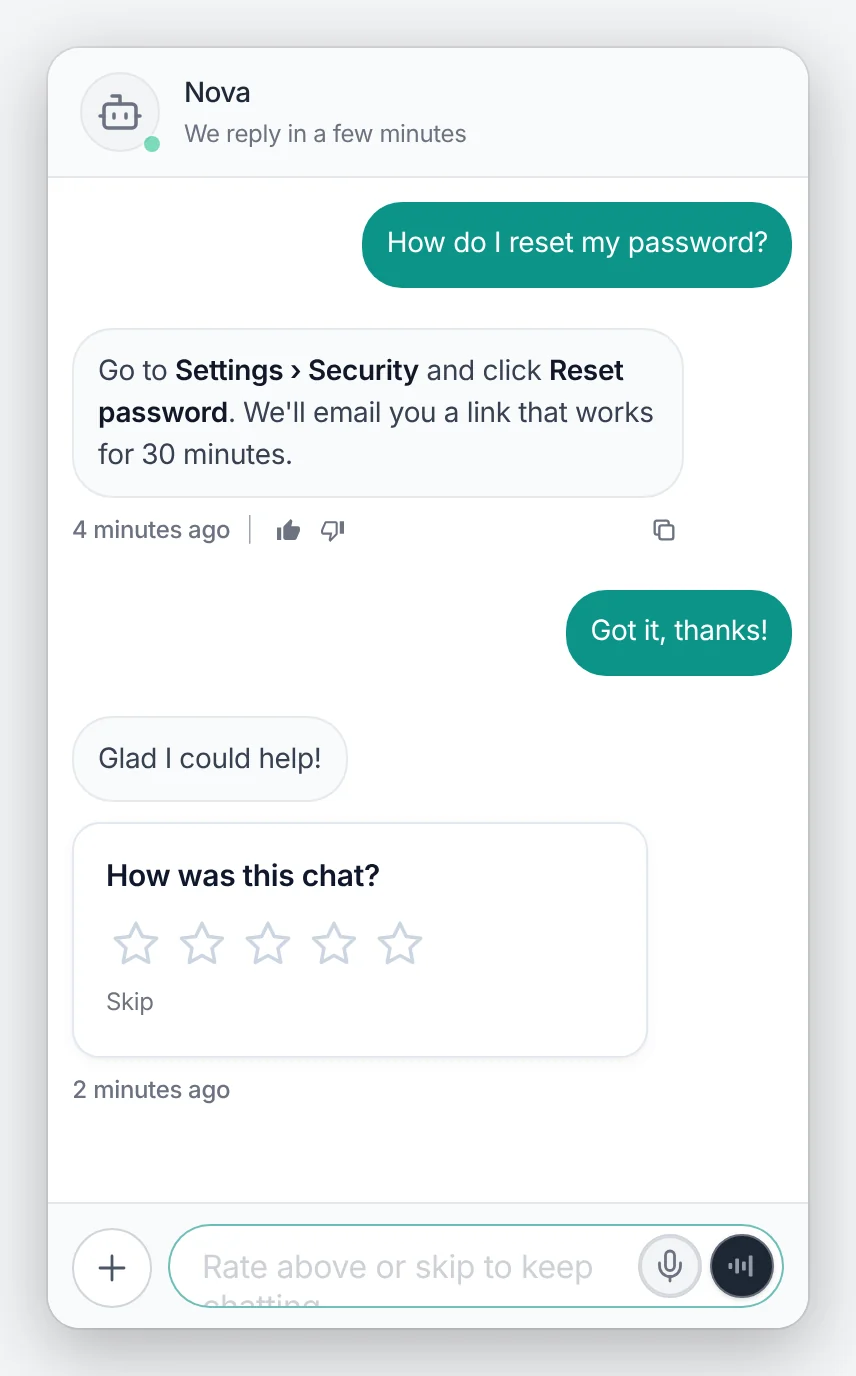
End-of-chat rating
| Setting | Description |
|---|---|
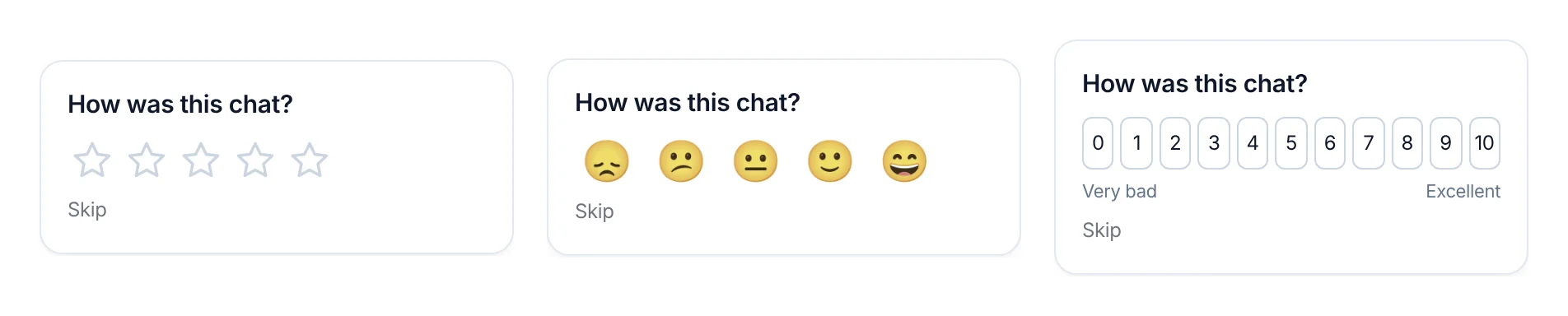
| Rating style | Stars (1–5) (default), Faces (😞 to 😄), or Score (0–10). |
| Question | Shown above the rating (up to 120 characters). Default: “How was this chat?”. |
| When to use | When to ask, such as after the visitor's question is answered. |
| Ask what could be better after a low rating | On by default. Adds a Follow-up question (default: “What could we do better?”). Low means 1–2 stars, 😞 or 😕, or 0–6. |
Answers show in Chat logs and Analytics: thumbs as helpful answers, ratings as satisfaction.
Was this page helpful?
Need help? Contact support — we reply within one to two business days.