

Deploy & Channels
Help page
Launch a hosted AI help page — a full-page chatbot with a shareable link — and optionally serve it on your own domain at a path like /help.
The help page is a full-page chat with its own link at app.assistrio.com/<agent id>/<page address>. Share it in emails, social bios, QR codes, or link it from your site's menu.
- 1
Open Channels › Help page
Click Set up (or Manage if it's already on).
- 2
Turn it on
The page gets its link automatically from your agent's name (for example
acme-clinic). It's shown under Page link and doesn't change later. - 3
Share it
Use Copy link or Open in a new tab. A private agent's Help page can't be opened.
Page settings
- Page title — the browser tab title (default “Help center”) — and Browser icon (up to 2 MB).
- Message box hint — the placeholder in the message box.
- Let visitors switch light and dark.
Logo and pictures
- Logo (140×32), plus a logo for dark mode, for mobile screens, and for the folded sidebar (32×32).
- Top picture — a 6:1 banner, with a dark-mode version — and Hide after the first message.
Start screen, link cards, and sidebar
- Suggested questions layout — One column or Auto — and a Glow under message box (Rainbow, Brand color, or none).
- Link cards — up to 2 cards with a title, link, and description (up to 140 characters).
- Sidebar buttons — up to 6 buttons with a label, link, and style (Filled or Outline), at the top or bottom.
Chat settings
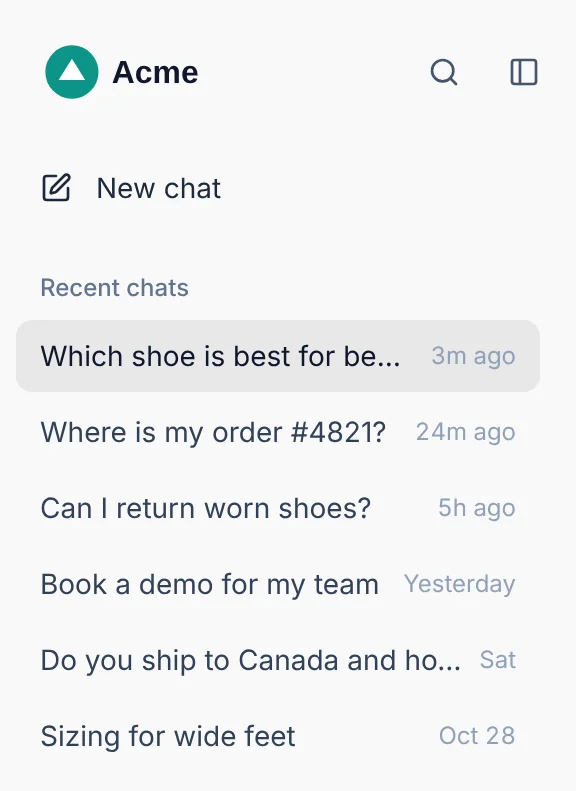
The Help page can follow the Chat Widget's instructions, reply settings, and welcome message, or have its own (the Sync with global toggles in the Playground's Overview). It can also have its own suggested questions, and under Scrolling in Chat experience its own scroll to latest button, New message text, and scrollbar. Visitors get New chat and up to 50 recent chats.
Each recent chat shows when it was last active — Just now, 3m ago, 5h ago, Yesterday, a weekday, then the date — in the sidebar and in Search chats. Hover the time for the exact date and time.
On phones
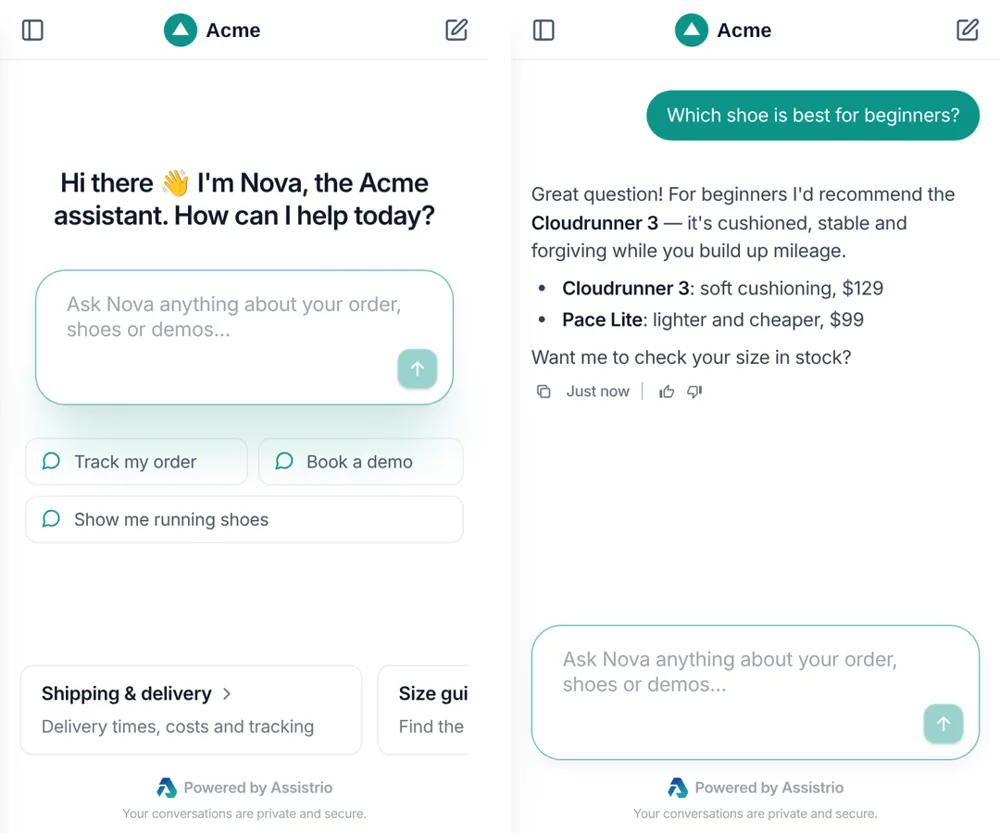
On phones (upright or sideways) the page has a top bar with the menu, your logo, and New chat. The greeting is smaller, suggested questions show as compact buttons side by side, and link cards are a row visitors swipe sideways. A narrow desktop window keeps the desktop layout with the sidebar folded.
Use your own domain
In the Use your own domain section, enter a Path on your site, such as /help, and copy the rule for your host (Next.js, Vercel, Netlify, or Node.js). See Help page on your domain.
Was this page helpful?
Need help? Contact support — we reply within one to two business days.