

Actions
Suggested questions
Add up to 5 suggested question chips to your AI chatbot, each with optional scoped knowledge, per-channel visibility, and AI-generated ideas.
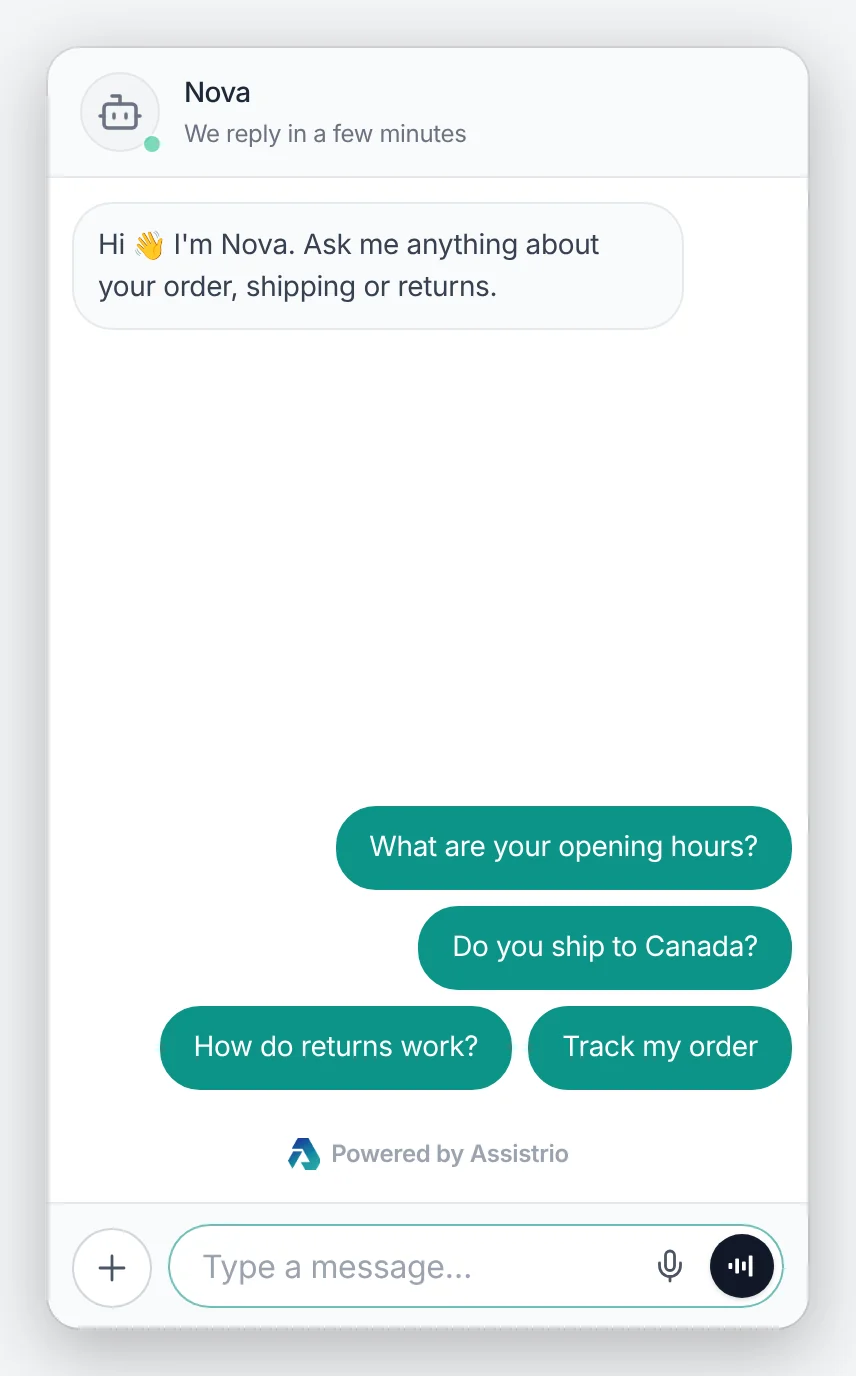
Suggested questions are chips visitors can tap instead of typing. Open Build › Actions › Suggested questions.
Add a suggestion
- 1
Enter the chip text
In Add suggestion, type the Chip text, such as “What are your opening hours?”.
- 2
Add scoped content (optional)
Scoped content is extra knowledge the agent uses only for that question. Leave it empty for a chip only: the first reply then uses your whole knowledge base.
- 3
Click Add suggestion
The chip is saved and shows in the chat.
- 4
Or generate them
Click Generate with AI. The questions are written from your agent's knowledge. Untick any you don't want, then click Use — they replace your current questions. Free 10 times a day per agent, then 1 AI credit each (AI writing help).
Manage suggestions
- Up to 5 suggestions per agent.
- Drag to reorder. Hide chip from chat keeps a suggestion without showing it; Make chip visible brings it back.
- Show on — open a suggestion and use the switches to pick where it shows: Chat Widget, Center Stage and Help page. The list shows each one's channels, or Hidden on every channel.
- Turn off in replies stops the agent from using a suggestion's scoped content. Delete removes it.
Note
Suggested questions are also used for proactive messages. You can also pick which ones show in each channel — Chat Widget, Center Stage, and Help page — in the Playground's Chat experience › Suggested questions.
Was this page helpful?
Need help? Contact support — we reply within one to two business days.