

Escalations
Escalations: Assistrio Helpdesk
Open tickets in the built-in Assistrio Helpdesk from chats: ask in the chat or with a form, add photos and tags, and reply in the same chat.
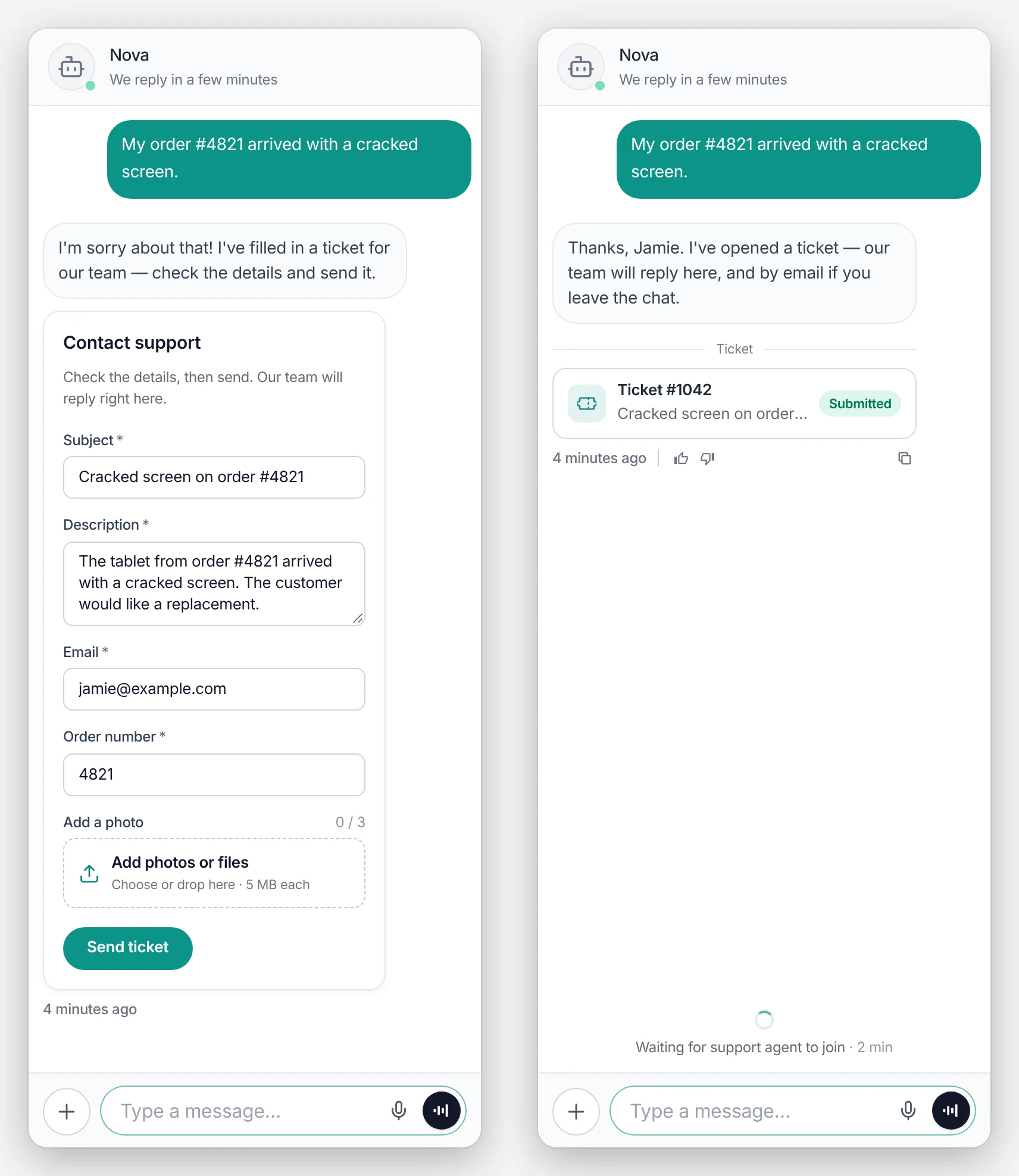
Tickets go to this agent's Helpdesk — nothing to connect. The visitor stays in the chat, sees a Ticket card marked Submitted, and gets your team's replies right there. The agent stays quiet until the ticket is closed.
Set it up
- 1
Pick Helpdesk
In Build › Actions › Escalations, click Create ticket, choose Helpdesk (Built in) and click Continue.
- 2
Choose how details are collected
Ask in the chat or Collect with a form (below).
- 3
Save
Click Create action, then ask for a person in the Playground to try it.
Settings
| Setting | What it does |
|---|---|
| How should details be collected? | Ask in the chat — the agent asks for each detail, one short question at a time. Collect with a form — the visitor checks a form the agent filled in (Subject, Description, Email and your fields), adds the rest and sends it; the ticket opens right away. |
| Details to collect | Ticket fields from Custom fields (saved on: Ticket). Mark each Required — it must be answered, or filled in on the form, before the ticket opens. |
| Photos and files | Don't ask, Optional or Required, with a Label on the form the visitor sees (default “Photos or files”; for example, “Photos of the damage”). Up to 5 files, 5 MB each, added on the form. |
| Tags | Up to 5, picked from your Helpdesk tags, each with “When should the AI use this tag?”. The AI adds the ones that fit. New tag… creates one; Restore brings back an archived tag. |
Every ticket action also has Action name, Only use in workflows, When to use, Channels and Message to the visitor — see Settings for every system.
The ticket form
- Shows in the Chat Widget, Help page and Center Stage. In Email and Slack the agent always asks in the chat.
- Turning on Photos and files shows the form even when you ask in the chat — photos are always added on the form.
- Files are on the ticket's conversation in the Helpdesk; their names are also listed in the ticket's description.
- If something required is missing, the form comes back with what the visitor wrote.
Was this page helpful?
Need help? Contact support — we reply within one to two business days.